



As Chrome’s tenth birthday is celebrated, Google has released a new edition of the world’s most popular desktop browser. Chrome 69 has been rolled out with a strong password generator, rounder tabs, new icons, and other user interface changes.
It’s certainly been a successful ten years for the Chrome browser. In the late-1990s and early 2000s, most of us were using Netscape and then Internet Explorer on our desktop PCs. Today, it’s overwhelmingly Chrome.
But whatever browser you choose to run, chances are that it’s not just the browser. You’re also very likely to be running third-party extensions and plugins to boost the browser’s abilities, tweak its behaviour, and enhance your online security.

What many people don’t realise is that these extensions can themselves present a security risk, and – when you look into it – it’s pretty terrifying just how much a browser extension can do.
An ad blocker, for instance, can read and change all your data on the websites that you visit. It *has* to be able to have that ability to let it block website ads. When you install a browser extension, you’re placing a lot of trust in it never turning evil.
One popular service which has its own Chrome browser extension is Mega.nz – the cloud-based file-sharing service founded by the shadowy larger-than-life figure of Kim Dotcom (he severed all ties with Mega three years ago.)
This week, as ZDNet reports, the official Chrome browser extension for Mega.nz was compromised with a malicious update.
User of the extension received an automatic update which requested more permissions, including the ability to “read and change all your data on the websites that you visit.” In all likelihood many users simply clicked through the warning.
 That, of course, was a big mistake.
The malicious edition of the Mega.nz extension started stealing login usernames, passwords, and cryptocurrency private keys from Chrome users – stealing information from surfers as they used sites such as Amazon, Google, Microsoft, GitHub, MyEtherWallet, MyMonero, and the cryptocurrency trading platform IDEX.
And to where was the sensitive data being siphoned? A Ukrainian server.
The suspicion has to be that Mega.nz’s account in the Chrome web store was somehow hacked. Was phishing to blame? A weak password? A reused password? A hack at Mega.nz? We just don’t know, and for now no-one’s saying.
The malicious version of the Mega.nz extension was available for Chrome users for some hours, and users who were updated during that time may have had credentials and private keys stolen from them. Mega.nz says it has now been removed, and is at pains to point out that the Firefox version of the extension is not affected.
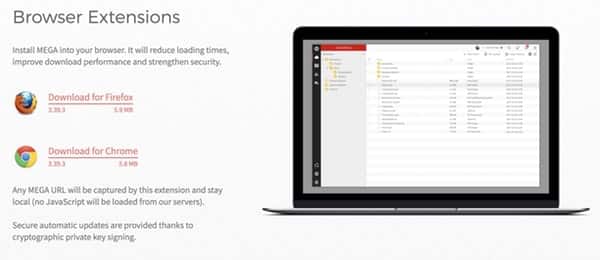
Mega.nz, it seems, is placing some of the blame at Google itself – claiming that the security measures in place for extensions in the Chrome web store are weaker than those for, say, Firefox:
We would like to apologise for this significant incident. MEGA uses strict release procedures with multi-party code review, robust build workflow and cryptographic signatures where possible. Unfortunately, Google decided to disallow publisher signatures on Chrome extensions and is now relying solely on signing them automatically after upload to the Chrome webstore, which removes an important barrier to external compromise. MEGAsync and our Firefox extension are signed and hosted by us and could therefore not have fallen victim to this attack vector. While our mobile apps are hosted by Apple/Google/Microsoft, they are cryptographically signed by us and therefore immune as well.
If you run the Mega.nz Chrome extension, change the passwords for all online accounts you may have logged into while the trojanized version was active. Make sure the new passwords are unique, and hard to crack.
To hear more discussion about this issue, be sure to check out the “Smashing Security” podcast:
Show full transcript ▼
 This transcript was generated automatically, probably contains mistakes, and has not been manually verified.
Smashing Security, Episode 94: Rogue Browser Extensions, Twitter Presence, and How to Cheat in Exams with Carole Theriault and Graham Cluley.
Hello, hello, and welcome to Smashing Security, Episode 94. My name is Graham Cluley.
Yes, I'm surrounded on my desk by a ton of gadgets that I haven't managed to pack away yet because I've just moved house, living in the sticks like your good selves.
And yeah, I haven't done all that well with the packing up yet.
But I do have fibre broadband, which, touch wood, has been pretty stable so far.
Imagine running a company, hiring new staff, and worrying that one of them might bring their bad password habits into the office. Horrendous! Nightmare!
That's one of the reasons why businesses small and large need a password management solution like LastPass Enterprise.
LastPass brings a vast array of features for enterprise users, including company-wide policies, reporting, user groups and roles, and new support for Microsoft Active Directory.
As an administrator, you can create highly secure passwords for your new starters right from the onset. Means no snafus.
Listeners can check it out themselves by visiting lastpass.com/smashingsecurity. No more password snafus, no more boo-boos, just LastPass.
Well, happy, happy birthday to the Chrome browser. 10 this week, 10 years since the Chrome browser came out. It's incredible, isn't it?
That was the first one that I remember using, but I remember very clearly when Chrome came out, I was living in Holland at the time, 10 years ago, and the whole concept of having multi-tabbed browsers seemed quite revolutionary at the time.
I know, it just seems that I must have maybe a million tabs open at the moment. And the idea of just not having that, it has changed the way that I use the web, certainly.
Just a simple change to the canvas or altering some of the icons and people go, "Ooh, yes, I want that." And sometimes that is what encourages people to switch, I suppose.
You're probably also running third-party extensions and plugins which can boost your browser's capabilities, tweak its behavior, and maybe give you some other benefits.
But all of these, even if they're security-focused, they can actually be a security risk because it's terrifying just how much power a browser extension can have and what it's capable of doing.
Which means it can technically read everything that you're reading too, right?
And I'm afraid there is a browser extension for a popular service which did turn evil this week.
The extension for Mega.nz, which is the file sharing service, cloud-based service founded by that larger than life figure Kim Dotcom, although he's no longer connected with Mega.
Well, this week, the official browser extension for Mega was compromised, and there was an automatic update for the extension which was received on users' desktops, which requested more permissions, including the ability to read and change all the data on the websites that you visit.
And in all likelihood, most users would just click through and say, yeah, yeah, yeah. You know, I use the Mega.nz extension because it helps me download stuff from the service.
And we were so bombarded with all these messages that you're just like, whatever, you know, just get rid of it.
So you still aren't informed as to what most of these services are actually doing. Technically you have been, legally you have been, but never actually read them.
It was pushed out to them. If they were originally using the genuine article, they had now been effectively infected by a bad one.
And it was stealing usernames, passwords, cryptocurrency, private keys, and it would activate on sites like Amazon, Google, where you may have your email, for instance, Microsoft, GitHub.
We simply do not know, but the data has gone.
And for now, nobody's saying, but the extension was up for some hours and users who were updated during that time period may have had their credentials and private keys stolen.
There could be follow-on impacts from that. And that obviously is not good. The good news is the Firefox version of the extension is not affected.
This is purely the Chrome extension, in fact—
There might actually be a basis in fact there, because Mega are saying that Google themselves are partly to blame.
They are pointing out that the security measures in place on the Firefox plugin or extension area are stronger than those which are in place for the Chrome Web Store.
You even have a quote from a third party now too. Exactly, as endorsed by Mega. So yeah, you know, potentially there are improvements maybe which Google can make there.
So rather than rounding off all those tabs—
Rather than rounding the tabs and doing all those fancy icons and things like that, changing those, maybe they need to get their house a bit more in order.
So some takeaways for everyone here. First one, browser extensions, even the ones that are supposed to be keeping you safe, they've got an enormous amount of power.
If an extension goes rogue, everything you do in your browser is now compromised.
So Google Chrome itself is a pretty secure browser, and they've got real experts working on the security of it.
But you are plugging in code written by third parties who may be rubbish at security, who may not have properly looked after their code, or maybe aren't looking after their accounts properly, and you're running that on your computer.
So you are increasing your threat surface, as the marketing people like to call it, by increasing the number of extensions you run on your browser.
Now, the other thing is, of course, sometimes you may have a browser extension installed and the ownership of that browser extension may change.
The company may change, the developers may change, it may get sold on to someone else.
So it may no longer be the same developer who you originally thought was writing the extension, and it may be someone less benevolent.
So always be wary when a browser extension asks for increased permissions.
So normally your browser will pop up and say, this extension is now asking, you know, to scoop up all the information on every web page you visit.
You can ask yourself, well, you know, do I really want it doing that or not? Is there a justified case for it?
And maybe there is with some extensions like ad blockers, but, you know, be careful because other extensions may not need that.
And if they suddenly start requesting it, then that suggests that something has changed in their underlying code.
Keep the number of extensions you run in your browser to a minimum, and if you're an extension developer, remember that you've got a responsibility to secure your code, secure your account, so that others can't exploit it and maybe spread their attack in such a wide fashion.
Well, actually, no, I haven't so much, but I opened up to have a look at the extensions that I have installed in my Chrome browser right here. And do you know what?
There are quite a few here that I installed many, many moons ago, maybe 2 or 3 at a time, to try and do a particular thing, whether it's email the page that I'm on right now to myself or whatever it is.
And there's some here that I don't really remember. I certainly haven't used for an awfully long time.
And, you know, I probably wouldn't even realize if some of these had turned rogue until it was too late.
So not only be careful about extensions that you install, but every now and then do a little bit of housekeeping and go, actually Bitly or Flash Control, I haven't used that for months, haven't used it for years.
That basically says to me, you're a bit lazy, David, and you could be just doing a copy and paste of the URL and bunging it in an email to yourself.
And, you know, if it means I'm not having to, you know, open up my mail browser, do a copy and paste, if I can just tap one button and save myself 20 seconds and do that 10 times a day, then I'm happy.
Even if you aren't, Graham.
Looking on another platform, news surfaced last week that social network Twitter, who I think Twitter's investors are surely the only ones who are still chirpy about Donald Trump's ongoing presidency, Twitter has been testing some new features, it turns out.
And one of these features, I personally think, in one fell swoop fundamentally changed the entire dynamic of the interactions on Twitter and make it even more of a magnet than it already is for unsociable behavior.
So it was a post by, I think she's Director of Product Management at Twitter, Sarah Haider, revealed that alongside threaded replies, and replies and threads are already a real mess on Twitter if you ask me, that Twitter is also testing something called presence.
Now, Carole, that's not birthday or Christmas presents or presents for good behaviour. Oh, thank you, James. Sorry about that.
Instead, it's a little green dot that indicates whether you are online at that moment in time.
Now, on the one hand, you could see that this is a fairly minor change that might increase the sense of immediacy of the conversations that take place on there.
And it's all going to maybe grow the engagement that I'm sure Twitter's owners and investors want to see on the platform.
But I think that subtle change makes a huge difference in a number of ways. Inasmuch as, you know, if you see somebody's online, you expect a response from them.
It's like a read receipt on an email or iMessage or WhatsApp. Twitter becomes a bit too much of a messaging platform. You know, it's like, well, I know that you saw my @reply.
Why didn't you respond to it? I don't want to live my Twitter life like that. I've got enough platforms where that's the case already. Thank you very much.
In fact, that's something which some people probably put a browser extension in place to try and prevent from happening.
So I come to Twitter to chill, to take in information, to, you know, get access to news stories. Twitter and chill. Twitter and chill, yes.
I want to do them in my own time. And a change like this, certainly would change that. But also, not everybody on Twitter plays nicely, and it's— Really? Yeah, really.
And there were certainly a lot of objections to this post from Sarah all across the internet.
So, for example, if I'm a troll— and I disagree with the term troll for various reasons, that's another story— but if I'm a troll—
No, if we're going there, then trolling for me is a very specific kind of online interaction if you look back at the history of it.
And I think trolling is used as a bit of a shorthand for what is often online abuse. Yeah, it's hate speech, it's misogyny, it's sexism, it's racism.
And I think if we are going to stamp this stuff out on the internet, then we need to name that stuff what it is.
And sugarcoating it with the term trolling which can also mean more provocative, more playful interactions, I think is the wrong thing.
If it's hate speech, it's hate speech, and call it that.
No, I've never heard it in any kind of positivity way that I thought, oh yeah, cool, thumbs up on that one.
And sometimes I think that that is— calling it healthy is perhaps a little bit too cozy, but sometimes it's not altogether a bad thing.
But if my intent is to abuse, if my intent is to harm somebody, to cause them emotional hurt, that isn't trolling in my book. It's hate crime. So there we go.
And if I can see that somebody is online, if I got that little green light that says that that person is online, then maybe I can start targeting them.
I can start hounding them, or maybe using that information about when they are and aren't online and offline to start build a profile about them for, I don't know, identity fraud or whatever.
And then I did see a tweet.
It was from Rob_Sheridan, and he replied to Jack, @JackDorsey, who's the big boss at Twitter, said, okay, everyone, Twitter has a serious problem with harassment and abuse.
Please fix it. Twitter, we're listening, and we've decided to make it easier for abusers to know when you're online. Yeah, so that's a bit of a shame.
So I guess this is a feature of Twitter that's just being tried out. As Sarah, to be fair, did say, will it be turned on by default? Would it be something you have to enable?
Graham, I saw also on Twitter that you, ever the consumer champion, you actually waded in directly with Sarah on this point, didn't you?
And she replied saying, don't worry, users are going to have full control over the option. I thought, hang on, and she kept on saying you'll have full control of it.
I thought, well, what does that actually mean? Does that mean you'll have the full control to turn it off or full control to turn it on in the first place.
And I have to say, I was very pleased because she came back to me and she said, this will be opt-in, which is the right—
So that, I have to say, I can't imagine this is a feature that many people will want, to be honest. But I'm pleased to hear that it's going to be opt-in rather than opt-out.
That's the right way round.
I imagine Twitter itself is seeing the success of services like WhatsApp and Facebook Messenger and maybe it wants to get more into this instant messaging kind of game as a way of growing itself.
There's obviously the concern that this feature may slowly creep in and may become the default in future.
People might find it useful, but I think the creep factor of what does suggesting and how is it going to change our behavior online? And people are already a bit wary.
It's just asking more of us and tracking us more.
So everybody likes each other, all the countries around the world. So it's a Twitter alternative. I haven't explained this very well.
Free, and anyone can set up their own little Mastodon pod, which connects to all the other Mastodon pods, and you can post your little statuses.
You have up to 500 characters on Mastodon.
And there are third-party apps which aren't being blocked as to what they can do, whereas a lot of the Twitter apps at the moment are being basically having their goolies chopped off by Twitter and prevented from doing things.
It's quite interesting, and certainly you get the feeling that it's being driven more by privacy concerns. And at the moment there's no Nazis who are pitching it.
So to my memory, the first few weeks of school are pretty much a dawdle academically, right?
I mean, it's a while before students have to start facing the dreaded tests and examinations.
I just could never remember exactly how to get — I knew I'd get it mixed up. And there was another one was metamorphosis. That was another one.
And so how I pulled it off was using a sharp H2 pencil, which was very important.
I would write the word very tiny so my teacher probably wouldn't be able to read it on my eraser, my Staedtler eraser.
And then if I felt I was in the danger of getting caught, I would just frantically start erasing. Evidence gone. Boom, right?
And a recent report involving 25,000 students in the States reported that 95% of students said they participated in some form of cheating, be it a test, plagiarism, or copying homework.
And the culprit everyone is pointing the finger at is, I'm sure you can guess, technology, right? So say hello to what some people are calling smart cheating.
Smart glasses can be used to send information to a third party, and then the answer arrives by text on your smartwatch.
I think you do know. But, you know, I do feel for the teachers. Spotting cheaters is difficult.
If you can go Google photomath.net, it's an app that you basically can put your phone over the actual math problem and it will just show the answer.
And it's just solving it almost instantly just by putting your phone to the math book.
And there's no explanation on this website about trying to pretend that it has a use other than just for cheating doing homework.
But are people allowed to take their phones into exams?
But the problem is a lot of tests are now being given online. This makes the taking and the marking of the tests easier, and it makes them more standardized across the board.
And this is kind of important because students are basically relatively ranked to establish their academic standing or potential for university or post-education or jobs.
But how do you control the cheating? Many schools can't afford to hand out clean lockdown laptops to students for every test, right? Of course not.
And all these tests, of course, they can't — we're not talking air-gapped computers because these are online tests that require access to internet services.
So students are being asked to bring in their own laptops or devices. And here is the crux: how is the school supposed to lock down devices outside their immediate control?
And that would be monitoring all your other tabs and other processes running on the — you'd have to give it a lot of power, of course, and you'd have to trust it that it didn't go rogue.
But that could make — we see this actually in — sorry to be nerdy for a moment — we see this actually in online chess tournaments because there's a big problem with people cheating in chess.
If I was a good chess player, I wouldn't be allowed to take my phone with me, and it would have to be switched off, and no technology hidden in the toilets.
But there's this problem now of online chess tournaments, and what some of the big sites do where you can watch the grandmasters playing each other is they have a webcam on the grandmaster as well, watching their face, and they actually monitor their eye movement, and they have other ways of determining whether there is dodginess going on, because of course it could be a little sneaky plugin in the corner which is processing the online chessboard and working out which the best move is.
So, I have two examples. There's a number of examples out there because obviously this is a tech problem, right?
And of course, not far behind tech problems, there's all sorts of tech responses, especially if it's going to make some money.
So, there's a few little options out there, but I wanted to share two with you today.
And I want you two, because you both are daddies, so I want you to kind of think about, hey, if this was my kid with his device or her device, you know, how would I feel about this as a parent?
Okay. Example number 1, Microsoft. So under Windows 10, it has an offering called Take a Test. And, but you have a secure browser.
Effectively, they have their own user, which bans you from going to the desktop or accessing any copying and pasting or searching opportunities.
You're basically locked into that session. Oh, okay. Kind of maybe a guest session, you know, a kind of lockdown guest session on a computer. Right.
The only problem with that approach is, of course, it only works on Windows 10, right? Now, let me give you another example. This is an online company called ProctorU.
This is a digital—
Now, they boast that ProctorU provides secure and live automated online proctoring services for academics and professional organizations, similar to what you were talking about, Graham.
Let me show you how this works. It's remote proctoring.
What I mean is there's a person in a remote location sitting and monitoring the student and the surroundings as they do the exam.
Now, I was looking around online, found a number of little complaints about ProctorU, so I started— I thought, go to their terms and services.
That's where they actually have to tell you exactly what's going on. And I'll paraphrase a bit, lose the legalese, but in the show notes you can read them for yourself.
So ProctorU will remotely connect to your computer in order to monitor your computer screens and premises. Proctors will view you and your surroundings via webcam.
Them or other means by listening to you or monitoring your computer screen. You agree to maintain audio contact during the entire session.
ProctorU may record your entire session, and you acknowledge that ProctorU is not responsible for anything that appears on your webcam or desktop.
And you consent to all such monitoring until you take the, quote, affirmative action of disconnecting completely from all services, quote.
So it's your responsibility to disconnect from the services, and unless and until you disconnect from the services, they can continue to be monitoring and recording you.
So I was like, what the heck? This seems a bit bizarre. So I was looking around. Redditor Mr. C. Backs calls it blatantly malware, and he says he refuses it for his class.
He wrote a comment saying that he decompiled and deobfuscated the ProctorU software, and his findings.
Quote, it makes a foreign call to a server and downloads a rootkit for your specific OS. Oh, that's nice. Linux included. It requires you to run Chrome as root.
They literally pay people to sit there and stare at you through your webcam while you take the test. So any thoughts on that approach?
We have the Microsoft approach, a kind of secure browser session, and then you have this more outrageous—
As you've already insinuated, I didn't actually make it to a proper university in my life.
Is this a North Americanism, or is this just my ignorance?
And in order to take the exam, you need to install this software that is installing, you know, it's an EXE you're installing onto your system that has access to basically block services when the session is on.
It sounds like the kind of thing which is going to have some security hole or vulnerability or be exploited in some fashion.
And then it's the most vulnerable members of society, the young people, who ultimately are going to find themselves exposed or have their information stolen from them.
I mean, ultimately, if people want to cheat, Carole, as you did with your eraser trick, they're going to cheat, aren't they?
Even if they have a locked-down computer, if they're doing it remotely from home or something, they could have another device right next to it, which is helping them answer the questions.
Maybe the solution is to look for unusual behavior.
You know, and they're making a call and they're locking you out of the system if they feel that you are not abiding by their regulations.
We had one that used to walk around slamming his cane into his hand as he walked around through the aisles, and it's just so you hear this thwack.
And so you did not cheat, you know, you could hear it getting closer and further. But another one would throw erasers. Yeah, so you see, you guys have it easy now, kids.
So easy these days.
I mean, obviously I'm pretty top drawer. And who knows, it turns out that outright cheaters can now become president of the United States. So, you know, I think why not?
All right, go on then, shoot. What happens if you forget your master password? What are you gonna do about that?
Well, piff-paff-poof, Carole, because if you're running LastPass Enterprise, you can integrate your password manager with Microsoft Active Directory.
And that means the same password that your employees are already comfortable with using to log into your system will unlock everything.
It will unlock their passwords, it will unlock their Word, Sophos Network makes it super easy to bring LastPass into your enterprise.
And Carole, if you, or indeed our listeners, want to try it for themselves, all they need to do is go to lastpass.com/smashingsecurity. And welcome back.
Can you join us at our favorite time of the show? The part of the show that we like to call Pick of the Week.
It could be a funny story, a book that they've read, a TV show, a movie, a record, a podcast, a website, or an app. Whatever they like.
Doesn't have to be security related necessarily.
I've been trying it as well, and I found a documentary which came out a couple of years ago called Tower, and it's an unusual documentary.
Now I love a good documentary and this is a superb documentary.
And what makes it unusual was that the filmmakers had a particular challenge because they were able to interview people who are still alive, obviously, but there wasn't very much footage of the actual event.
So how were they going to do this? And they could have dramatized it in a traditional kind of reconstruction sort of way, but they—
Instead, what they did was they filmed actors, but they then later animated them with rotoscoping. So much of the documentary— rotoscoping?
Yeah, that's when I think they did it in that Lord of the Rings cartoon movie, which came out in the late '70s or early '80s.
That may have been one of the first cases where they actually record you, so they know how you move and how you talk and all the rest of it.
But they sort of— they get their tracing paper out, Carole, and they sort of draw your outline, and you end up with something which is moving in a human kind of way, but it's actually an animation.
So that's what they did with this, and they have young actors who are reenacting what happened, and they're speaking straight to camera, but they're animated.
Animated, and they're saying the words of the interviewees who were obviously interviewed 50 years later for the movie.
And it gives a real immediacy to their memories because it's like they're talking about it when they were young, when it actually happened.
And there is a particularly moving part of the documentary which still sends chills down my spine thinking about it. You're watching— Oh, tell us!
You're watching an animated young woman describing her experience, and suddenly the film cuts to a real-life filmed interview with the actual victim as she is today, 50 years older, continuing the sentence.
And you're suddenly sort of brought— it's given me chills right now. It just becomes so real.
So it's called Tower, it's on Netflix, very interesting and very touching. So that wasn't very cheery, was it?
But that is, that was, I have to say, one of the best documentaries I've seen for a while, so I'd recommend it. David, what is your pick of the week?
Now, I don't know if it's only in our family, but it would appear as though my wife and I have often infuriatingly different perceptions of colour.
So, for example— yeah, okay, go with me here— so, for example, she might say something, "Darling, could you grab my blue coat from the hallway?" And I will get her distinctly blue coat from said hallway, and upon handing over said distinctly blue coat, I will get berated for picking up her obviously green coat.
Obviously green.
And this was a particular conversation that we had in bed looking at the new curtains, and I was saying, oh, you know, that the curtains, they go nicely, the green on the curtain goes nicely with the green on the bedsheet.
So I said, right, there has to be an app for this.
Now, what I would say is that I know that generations of genetics mean that men are more prone to color blindness, but I don't think that that's what it is, because I don't have this problem with anyone else, and it's just that we're dim, isn't it?
It's just that perhaps, perhaps that's it. So what I found was an app called Clone Live Color Picker, and it's a really simple app for iPhone.
I think it's on Android as well, and it's certainly helped to douse one or two arguments in our house already.
At its most basic, it uses your phone's camera or a picture that you've taken on your camera roll or something that you screen grab from a website or whatever, and it tells you the color that you point or tap to, and it'll give you that in RGB or CMYK, hex, hue, saturation, brightness, and it'll even tell you the closest official Pantone color.
That's what you want. Exactly.
You can change the color temperature if you're not sure your camera's quite got it right, and it'll even suggest some complementary colors that fit into the same palette.
And it's got a colorblind mode, so it just highlights the basic color, so it'll tell you if it's red, green, or blue in the live view mode. Yeah, it's really, really good.
It's also really well designed, as you would expect an arty app to be, and believe it or not, it's actually quite addictive.
You know, once you start pointing it at things around your house and you see some of the weird and wonderful color names that these things have, like Blaze and Epic and Swirl.
You're like, what?
And oh, this one's a little bit less salubrious: wax flower.
So if you go and check out, we can settle this argument right now. Okay, is it black and blue or white and gold?
I'm getting rock blue. And then I move down here and I get light slate grey. So rock blue and light slate grey are the two kind of main colors on that dress.
And I should say—
Okay, so hold your breath and you let me know at the end. So this is an innovative startup company called Altered. These guys make taps or faucets.
My grandmother always used to hate that word faucet, and I hate it too. I don't have no idea why.
Now Altered, they make taps and they call them Nozzle, and it's a patented technique to develop affordable water-saving for people. It reduces water use by over 90%. 9-0.
How do they do this? Well, I'm quoting founder Kaj Mikosch, who explained to Nordic Business Insider, an ordinary tap loses 10 to 12 litres of water per running minute.
Okay, that's a lot of water. Only a small part of that touches your hands or rinses off the plate.
Now he says, my idea was to atomise the water so that every drop gets its own surface. At the same time, increased speed, you get a bigger effect out of every single drop.
Pretty cool, right? So this saves an average— you did a few tests in the States, right? Saves an average of 50,000 litres of water a year per household. That's a serious saving.
And companies like IKEA have adopted the tech to create their own tap offering using the same technology. So it's worth a gander, don't you think, boys?
90% of water is going to water one? I've looked into it, yeah, because I've done research for this episode and I am getting one. So I'll let you know in a few weeks how I—
If people want to follow you online or find out what you're up to, what is the best way to do that?
I can't guarantee that I'm going to be online all that much, but @DavidMcClelland, all the C's, all the L's with a couple of vowels chucked in for good measure.
There's all kinds of goodies up there. And you can get t-shirts and mugs and stickers and goodies at smashingsecurity.com/store. And if you show, what should people do, Carole?
Some takeaways:
- Browser extensions – even the ones that are supposed to be keeping you safe – have an enormous amount of power. If an extension goes rogue, everything you do in your browser is now compromised.
- In the past we’ve even seen the ownership of browser extensions change. It may be the case that you are now dealing with a completely different developer, and they may have malicious intentions.
- Always be wary when browser extensions ask for elevated permissions.
- Keeping the number of extensions you run in your browser to a minimum reduces your threat surface.
- And if you are an extension developer, you have enormous responsibility to secure your code and developer account so others cannot easily take advantage.

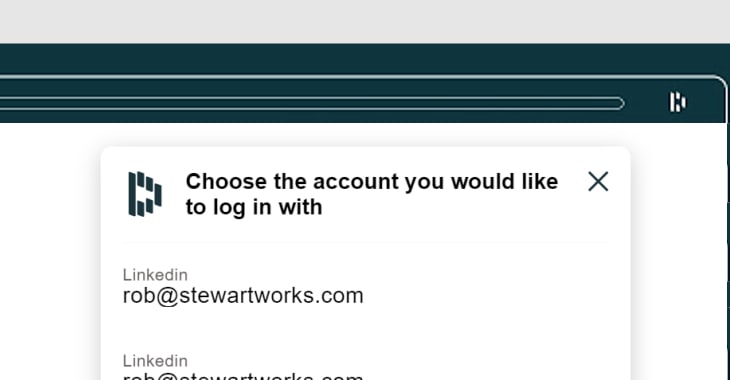


There needs to be some sort of repository for extensions and permissions or alerts in when ownership of an add-on changes for the exact reasons you mention. Or some kind of "certification" for open-source code verifying that the code is not doing anything malicious
It has always concerned me about what if Adblock, Adblock Plus and uBlock Origin were compromised. That would be a lot of browsers affected.
It's possible to avoid using browser extensions, but getting rid of the last one—the adblocker—is a problem because browsing without one is also an issue. Hosts files are too clunky. It was better when adblockers was build directly into the browser rather than extensions (such as 'Tracking Protection Lists' in Internet Explorer 9 onwards), and the user then just subscribed to the lists they wished to use (such as EasyList, etc.) or used their own lists.
Opera has built in adblocker with lists, also chrome has some sort of built in adblocker these days.